Demystifying Speaker Distortion: Why Your Sound Breaks Up and How to Fix It
Few things are more frustrating than your favorite music or movie dialogue suddenly turning into a broken, crackling mess. Speaker distortion is a common audio problem that can ruin the listening experience and even damage your equipment over time. Understanding why your speakers distort and how to prevent it is crucial for anyone who enjoys good sound. This article will break down the primary culprits behind distorted audio and offer practical, easy-to-follow steps to get your sound back to crystal clear.
The Loudness Lament: When Volume Exceeds Power
One of the most frequent causes of speaker distortion is simply trying to make them play louder than they are designed to. Every speaker has a limit to how much power (measured in watts) it can handle before its components start to struggle. When you push your amplifier or stereo head unit to a volume that supplies too much power to your speakers, they begin to “clip” or “distort.” Imagine trying to shout at the top of your lungs for too long – your voice eventually breaks. Speakers behave similarly. The amplifier tries to send a signal that’s beyond its clean output capability, creating a flat-topped waveform instead of a smooth, rounded one. This “clipped” signal is what causes that harsh, fuzzy sound.
To avoid this, pay attention to the rated power handling of your speakers, usually expressed as a range (e.g., 50-100 watts RMS). While your amplifier might have a higher peak output, sticking to the lower end of the speaker’s RMS rating for continuous listening is wise. A common mistake is cranking the volume all the way up on your source device (like a phone or car stereo) and then trying to adjust the final volume primarily on your amplifier. Instead, set your source volume to about 75-80% and then use your amplifier or receiver’s volume control for fine-tuning. If you hear any signs of breakup, immediately reduce the volume. Pushing speakers into sustained distortion shortens their lifespan and can lead to permanent damage.
Improper Connections and Compromised Signals
Another major source of distortion lies in the mundane world of cables and connections. Loose wires, damaged cables, or incorrect wiring can introduce unwanted noise and signal degradation that manifests as distortion. Imagine a garden hose with a tiny hole – the water still comes out, but it sprays everywhere and loses pressure. Similarly, a compromised audio signal loses its integrity before it even reaches the speaker driver.
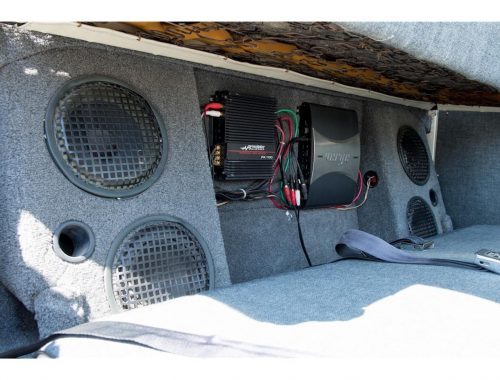
One key factor here is impedance, measured in ohms. Speakers have an impedance rating (commonly 4 or 8 ohms), and your amplifier or receiver is designed to work with a specific range. Connecting a speaker with an impedance too low for your amplifier (e.g., connecting a 2-ohm speaker to an amplifier designed for 8 ohms) can cause the amplifier to overheat and distort as it struggles to supply the required current. Always match your speaker’s impedance to your amplifier’s capabilities. Check all wiring regularly for fraying, especially in car audio systems where vibrations can loosen connections over time. For home setups, ensure speaker terminals are tightened securely. Even a partially inserted audio jack can cause crackling and static, so verify all connections are fully seated.
Tweaking Your Tone: EQ and Bass Boost Misuse
While equalizers (EQ) and bass boost functions can enhance your listening experience, their improper use is a frequent cause of distortion. These features boost specific frequencies, and if those frequencies are already near their maximum output, further boosting them can push the signal into clipping territory. It’s like trying to make a quiet person’s voice louder by just shouting louder yourself – it might get more attention, but it won’t sound clear.
For example, excessive bass boost is a notorious culprit. Low frequencies require significantly more power to reproduce cleanly than high frequencies. If you amplify the bass too much, your speakers (especially smaller ones or subwoofers) can quickly reach their limits and distort. Instead, use EQ and bass boost sparingly. Make small, incremental adjustments and listen carefully for any signs of strain. A practical tip: if you constantly find yourself increasing the bass, consider if your speakers are simply not designed to handle that level of low-frequency reproduction. Sometimes, the best solution isn’t to boost what you have, but to upgrade to more capable components or add a dedicated subwoofer for bass.
By understanding these common causes – power mismatch, signal integrity issues, and overzealous EQ settings – you can effectively troubleshoot and prevent speaker distortion, ensuring your audio always sounds as clear and impactful as intended.